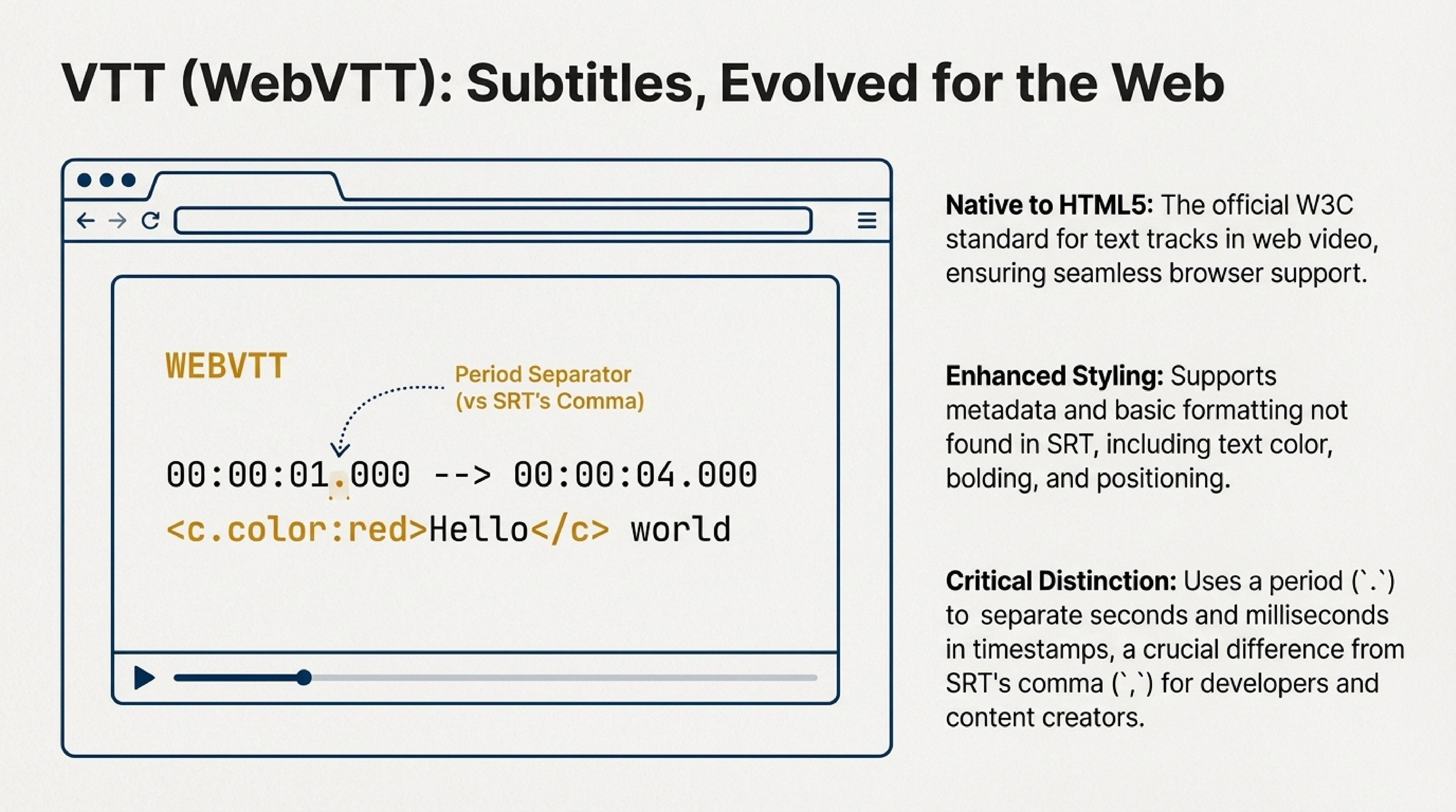
What is VTT Format?
VTT (Web Video Text Tracks) is a subtitle format used primarily for video in web browsers. It is supported by most modern video players and web platforms, such as HTML5 Video. The VTT format allows adding text tracks that are synchronized with video and is one of the most convenient formats for working with video on the internet.
A VTT file consists of text markup that includes timestamps, text description, and additional styles. It is similar to the SRT format but includes more capabilities for customizing subtitle display.
Example of a VTT file:
VTT Markup Features
The VTT format uses simple text markup that includes several key elements:
- WEBVTT — a mandatory string at the beginning of the file that indicates this is a VTT format file.
- Subtitle numbers — sequential numbers that may be empty or present, depending on the file version.
-
Timestamps — the start and end time of subtitle display on screen in the format
hours:minutes:seconds.milliseconds --> hours:minutes:seconds.milliseconds. It's important that a period is used to separate seconds and milliseconds (unlike SRT, which uses a comma). -
Subtitle text — the text that will be displayed on screen, with the ability to add styles (for example,
<c>for color highlighting).
Example with color:
This example shows how you can use styling tags to change the appearance of subtitles. The VTT format supports various tags for text styling, making it more flexible than simple formats like SRT.
Advantages of VTT Format
- HTML5 support: VTT is ideal for use on websites, as it is natively supported in HTML5 Video. This makes it the standard for web video.
- Flexibility: Unlike SRT, the VTT format supports additional features such as text styling (color, size, and position), providing more options for subtitle formatting.
- Interactivity: VTT files support the use of timestamps, allowing you to create more complex scenarios, such as displaying links, hints, or annotations.
- Easy synchronization: Like SRT, VTT allows easy synchronization of text with video by editing timestamps.
- Universality: VTT is supported by most modern web browsers and video players, making it a universal choice for web video.
Interesting fact: VTT (WebVTT) was developed as part of the HTML5 standard and became the official format for text tracks in web video. It was created specifically for use on the internet and is supported by all modern browsers.
How to Use VTT Format for Converting and Merging Subtitles?
Merging Subtitles
A subtitle merging service allows you to combine multiple subtitles into one VTT file. This can be useful if you want to synchronize subtitles in different languages or combine multiple subtitle tracks in one file for convenient viewing.
For example, you can merge English and Russian subtitles into one VTT file, creating dual subtitles for web video. This is especially useful for language learning or for creating accessible content for an international audience.
Converting to VTT Format
Converting to VTT format from other formats, such as SRT or ASS, is also possible with your service. This allows you to convert subtitles to the universal VTT format, which is supported on most web platforms.
If you have subtitles in SRT format, you can convert them to VTT for use on websites. The VTT format also allows you to add additional styles and metadata that are not supported in SRT.
When to Use VTT Format?
The VTT format is ideal for the following cases:
- Web video: When you're creating video for placement on websites or in web applications.
- HTML5 Video: For use with the HTML5 Video element, which natively supports VTT.
- Online platforms: For placing video on platforms that require web-compatible subtitles.
- Accessibility: For creating accessible content that can be easily integrated into web applications.
Conclusion
VTT is a modern and flexible subtitle format that is ideal for web video and supports additional capabilities such as text styling and more precise synchronization.
With the help of a subtitle merging service and conversion to VTT, you can efficiently work with subtitles, combining them and converting them to the desired format for convenient use on all devices. Whether you're creating content for websites, online platforms, or web applications, the VTT format provides all the necessary tools for creating high-quality and accessible subtitles.