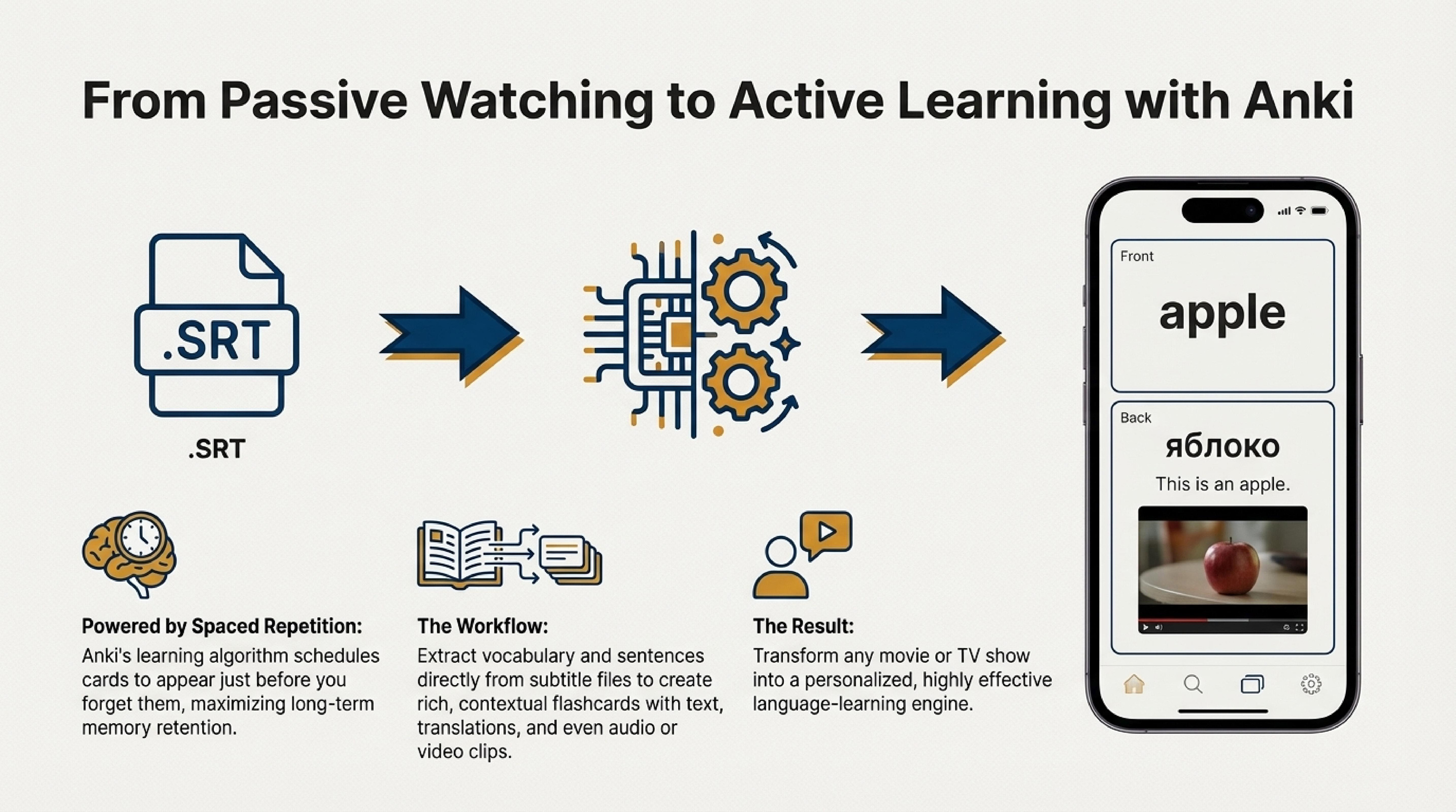
How the Anki format is structured
Each card contains a Front (prompt) and Back (answer). You can add tags, images, audio, and video to make vocabulary more memorable in context.
Core data containers:
- .apkg — an archive with the deck, media, and templates. Best for sharing and backups.
- .tsv — a table of card fields. Ideal for bulk import/export and spreadsheet edits.
Minimal .tsv example:
Why Anki works
- Spaced repetition: a card appears right before you’re likely to forget it—less time, better retention.
- Active recall: you retrieve the answer first, then confirm it on the back.
- Context and media: examples, images, and audio strengthen real-life usage links.
- Tags and filters: build themed subsets (topics, frequency, CEFR level).
Tip: add 1–2 example sentences plus audio; this speeds up moving a word to long-term memory.
Create and import cards
You can create cards in several ways: manually in Anki Desktop, by importing a .tsv file, or using our online service "Anki Word Cards". The service allows you to create cards manually or automatically from text with CEFR level analysis, then export them in .tsv format, ready for import into Anki.
Create in Anki Desktop
- Click "Add", fill in Front and Back, and add tags if needed.
- Drop in images or audio to reinforce associations.
- Save the deck as .apkg to move it to AnkiDroid or AnkiMobile.
Import via .tsv
- Prepare a table: first row is field headers (e.g., front, back, tags).
- Export as UTF-8 TSV with tabs as separators.
- In Anki, choose "Import," select the file, and map columns to fields.
Where to study Anki cards
- Anki Desktop — Windows, macOS, Linux. Full control over templates and add-ons.
- AnkiDroid — free on Android, perfect for reviews on the go.
- AnkiMobile — iOS version (paid) with sync and offline study.
Study tips for vocabulary
- Pace yourself: 15–25 new cards per day to avoid overload.
- Add context: include an example sentence to activate the word in speech.
- Sync often: keep progress consistent across devices.
- Tune intervals: adjust daily limits and intervals to match your pace.
Conclusion
The Anki format combines flexible cards, media, and spaced repetition. Use .apkg for sharing and backups, .tsv for fast import and bulk edits. Add context, tags, and audio to accelerate memorizing words and phrases. For quick card creation from text, use our online service "Anki Word Cards".